How Screenshot Deletion Works in Time Tracking
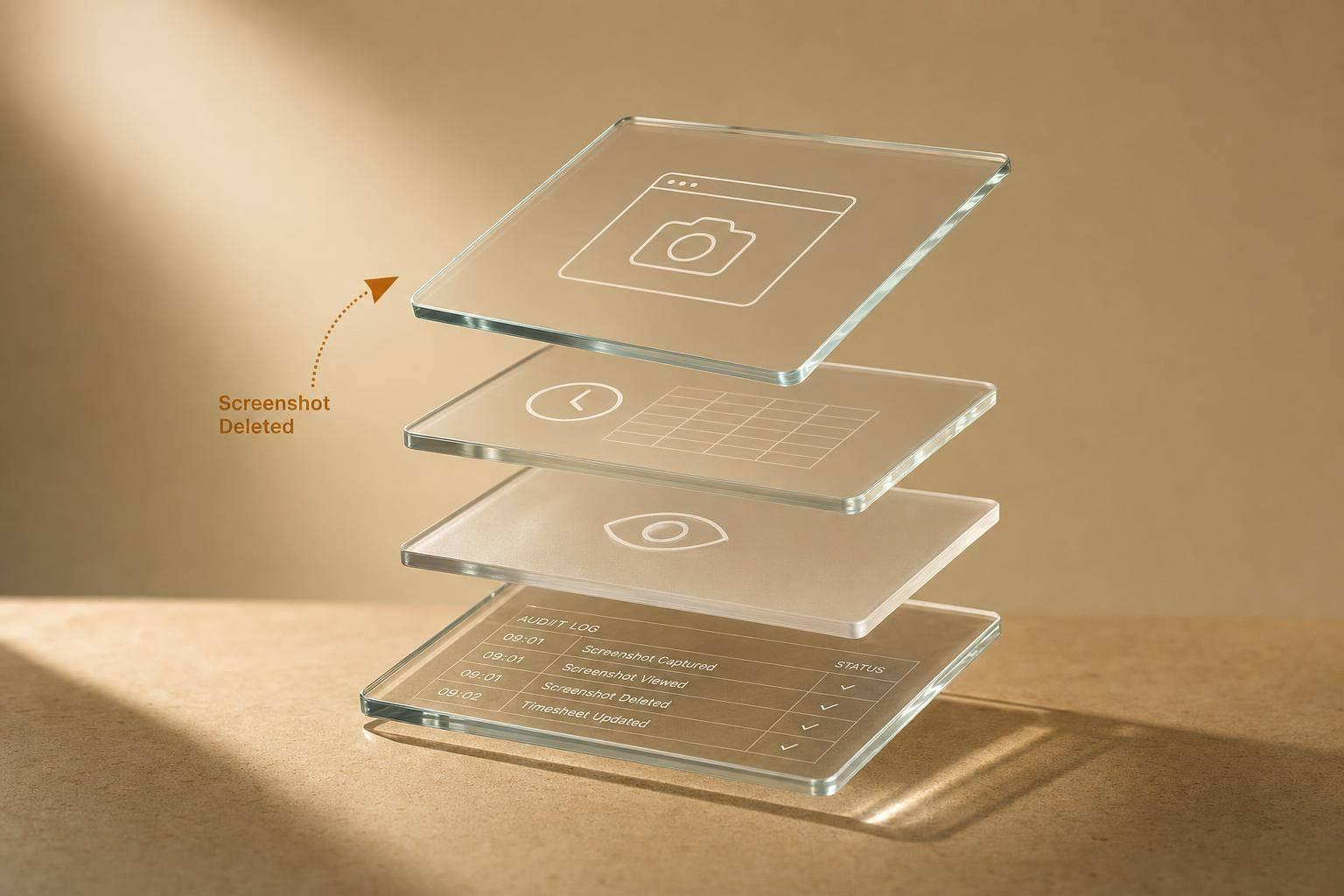
How Screenshot Deletion Works in Time Tracking
Delete a screenshot, and you may also delete the time tied to it. In this setup, the image is removed for good, the linked minutes come off the verified timesheet, managers only see approved screenshots, and a log still shows who deleted what and when.
Here’s the short version:
- Employees delete first: I can remove my own screenshots before sharing them.
- Managers see approved screenshots only: If I delete it or don’t approve it, it never shows in manager view.
- Time can be removed too: In AllyTracker, deleting a screenshot also deducts the tied minutes from verified pay - 100% of those linked minutes stop counting.
- A record still stays: The deleted image is gone, but the deletion log still keeps the person and timestamp.
- Payroll and billing don’t go blank: Remaining approved screenshots, activity logs, and billing code links can still support pay and invoicing.
That means screenshot deletion is not just about privacy. It also affects timesheets, pay, manager visibility, and audit records. Before rollout, I’d make sure everyone knows who can delete, when deletion happens, what time is removed, and what record remains.
Who Can Delete Screenshots and What Gets Removed
Deletion rights and visibility depend on workspace roles and company settings.
Role-Based Permissions and Company Settings
AllyTracker uses a consent-based model. Employees can review and remove their own screenshots before those screenshots are shared with management. Managers and administrators only see screenshots that the employee has explicitly approved.
Set these rules before rollout. That way, employees know who can remove screenshots and when that removal happens.
Image Removal Versus Time Removal
Deleting a screenshot doesn't always mean the same thing across tools. In some setups, it removes only the image. In others, it removes both the image and the linked time block.
In AllyTracker, removing a screenshot permanently deletes the image and removes the tied minutes from the verified timesheet. That time then does not count toward verified pay.
Check which deletion rule your workspace uses before treating screenshots as payroll proof.
Once permissions are set, the next step is the deletion process itself.
sbb-itb-338a5ab
Step-by-Step: How Screenshot Deletion Works
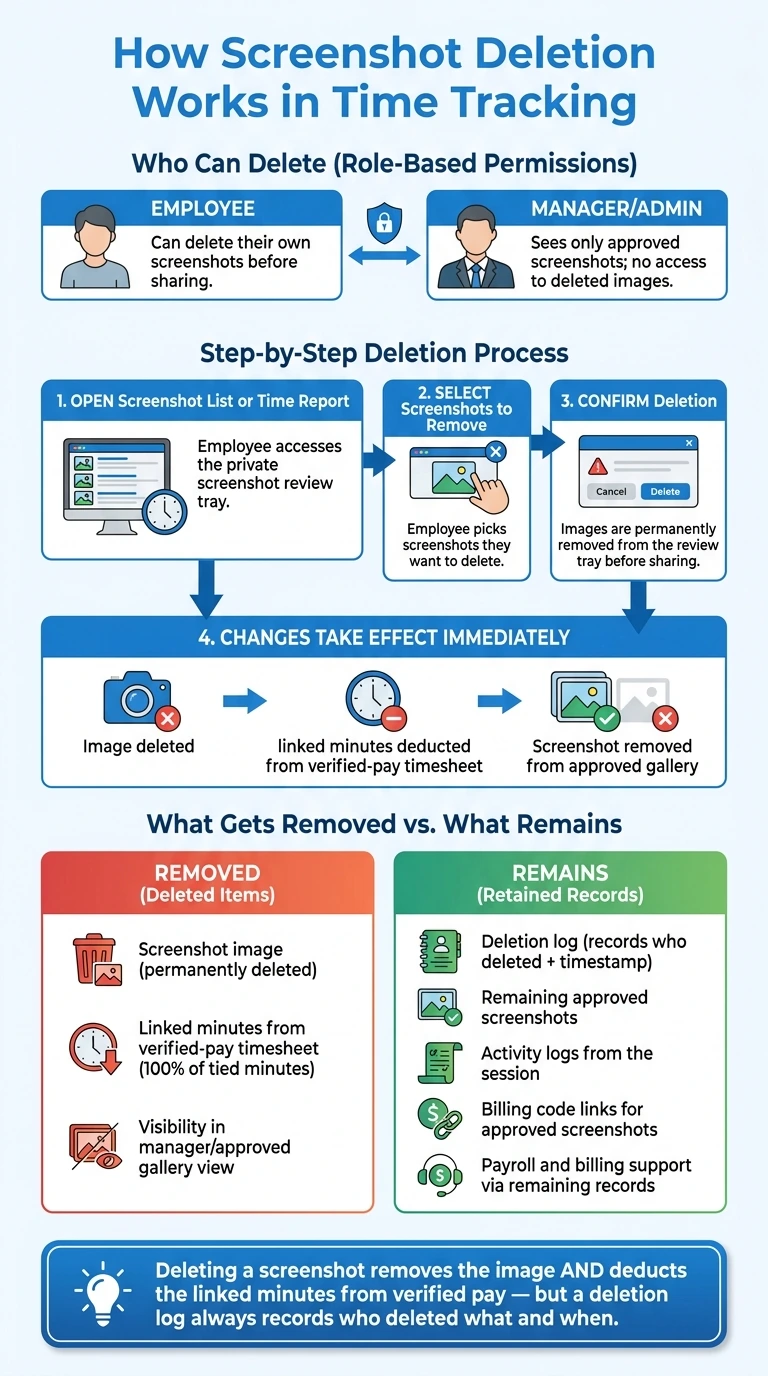
How Screenshot Deletion Works: Steps, Roles & Payroll Impact
Open the Screenshot List or Time Report
Go to the employee screenshot review area first. In AllyTracker, employees can check screenshots before sharing them through the private screenshot review tray.
Select Screenshots and Confirm Removal
Pick the screenshots you want to remove, then confirm the deletion. Once deleted, those images leave the review tray before anything is shared, so they never show up in manager view. That review gate decides what managers can see next.
What Deletion Changes Immediately
Deletion permanently removes the image. In AllyTracker, it also subtracts the tied minutes from the verified-pay timesheet, and the screenshot does not appear in the approved gallery.
How Review and Approval Work Before Managers See Screenshots
Employee Review Before Sharing
Inside the private review tray, the employee has the final say on what gets shared and what gets deleted before any screenshot leaves the workspace. They can review each screenshot, remove anything they don't want shared, and approve the rest.
Nothing goes to managers until the employee approves it.
Manager Access to Approved Screenshots Only
Managers can see only the screenshots the employee approved. If an image is deleted or left unapproved, it never appears in the manager view.
Deletion Logs and Oversight
AllyTracker keeps a deletion log that records who removed each screenshot and when. This gives HR, operations, and finance a way to audit deletions without seeing the removed image.
Approved screenshots stay attached to timesheets and shared views. Deleted screenshots stay out of manager access, but they still appear in the oversight log. That audit trail matters when deleted screenshots affect verified hours and payroll records.
How Deleted Screenshots Affect Timesheets, Payroll Proof, and Record Retention
Once a screenshot is deleted, the next issue is what still shows up in pay, billing, and retention records.
Effect on Timesheets and Verified Pay
When a screenshot is deleted, the image is removed and its linked minutes are deducted from verified-pay timesheets. That means those minutes no longer count toward verified pay.
Payroll, Billing, and Record Retention
Payroll and client billing can still be checked using the remaining approved screenshots and activity logs from the session. AllyTracker also keeps a deletion log that shows who removed the screenshot and when, while leaving the deleted image out of retained records. Approved screenshots can still stay tied to billing codes for project or client billing.
So yes, the image changes, but not every record connected to that session disappears with it.
Key Rules to Confirm Before Rollout
Before you use screenshot deletion, make sure your workspace rules for pay, billing, and retained records are clear.
- Timesheet impact: Deleted screenshot minutes are automatically deducted from verified pay
- Retained proof: Remaining approved screenshots and activity logs still support payroll and billing
- Billing codes: Approved screenshots stay tied to the relevant billing codes
- Audit trail: A deletion log records who removed each screenshot and when
Getting these rules written down internally can help cut down on disputes later between employees, payroll, and operations teams.
Can a deleted screenshot be recovered?
The available information doesn't say whether deleted screenshots can be recovered.
It also doesn't mention a restore policy, a retention period, or any steps for getting deleted screenshot images back in AllyTracker or in the screenshot deletion flow described.
Do deleted screenshots always remove pay time?
No. Deleting screenshots does not always remove pay time.
In AllyTracker, time and pay are linked to the timesheet approval workflow. They are not removed on their own every time a screenshot gets deleted.
Employees can review screenshots before sharing them. Managers then see an approved screenshot gallery.
Who can view screenshot deletion logs?
In AllyTracker, only authorized managers can view screenshot deletion logs.
These logs show screenshot removal activity, which helps support clear records for payroll and project billing checks.