How to Track Remote Employee Hours Without Micromanaging
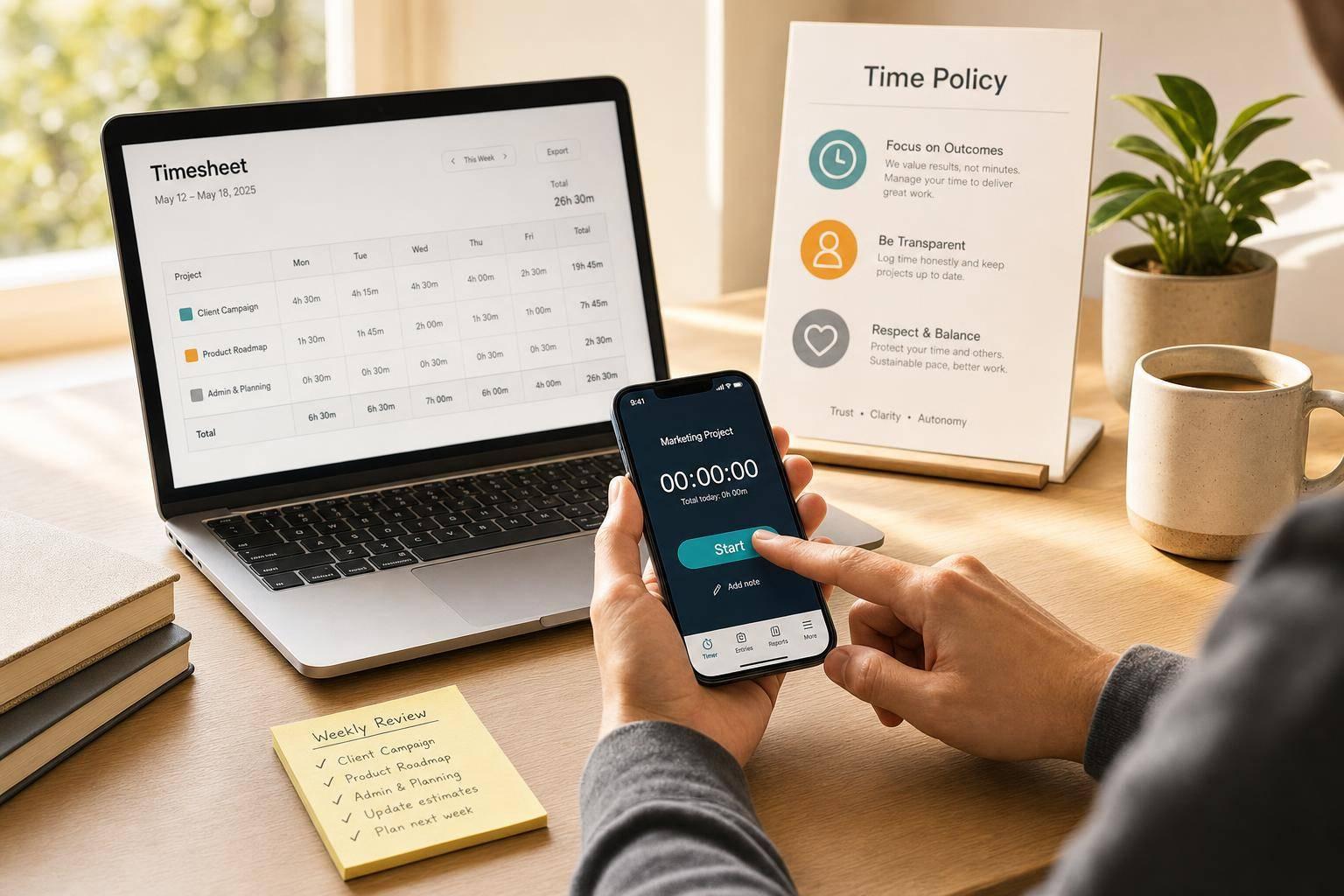
How to Track Remote Employee Hours Without Micromanaging
You can track remote hours without hovering over people. The short version: use a clear written policy, get consent first, log time by project instead of by the minute, let employees review their own records, and check totals once a week, not all day.
Manual timesheets are often 27% inaccurate by week’s end. That can lead to payroll mistakes, billing disputes, and bad workload planning. I’d fix that with a simple setup that keeps proof of hours worked while avoiding all-day monitoring.
Here’s the core approach:
- Set rules first: explain work time, breaks, edits, overtime, and who can see data.
- Be direct about tracking: say what is tracked, what is not, and how long records stay in the system.
- Track by project or client: tie hours to work, billing, and team capacity.
- Use employee-run timers: let people start, pause, stop, review, and correct their own time.
- Keep reviews light: check timesheets weekly or biweekly instead of watching activity all day.
- Use data for support: spot blockers, overtime, and uneven workloads before people burn out.
A few numbers stand out:
- 77% of employees say clear disclosure lowers concern about monitoring.
- 59% of workers say digital tracking can hurt workplace trust.
- 55+ hours per week on a steady basis is a warning sign for overload.
If I had to sum up the whole article in one line, it would be this: employee control first, manager review second. That keeps hours tied to payroll and billing without turning time tracking into surveillance.
| Area | Best approach | What to avoid |
|---|---|---|
| Policy | One-page written rules shared before rollout | Vague rules or surprise tracking |
| Consent | Written notice and employee acknowledgment | Silent monitoring |
| Time entry | Project-coded hours | Presence-based logging |
| Reviews | Weekly or biweekly checks | Day-long oversight |
| Screenshots | Only for limited cases, with employee review first | Constant image logging |
| Manager access | Approved records and team trends | Raw live feeds |
Below, I break down how I’d put that system in place in a way that keeps records clean and trust intact.
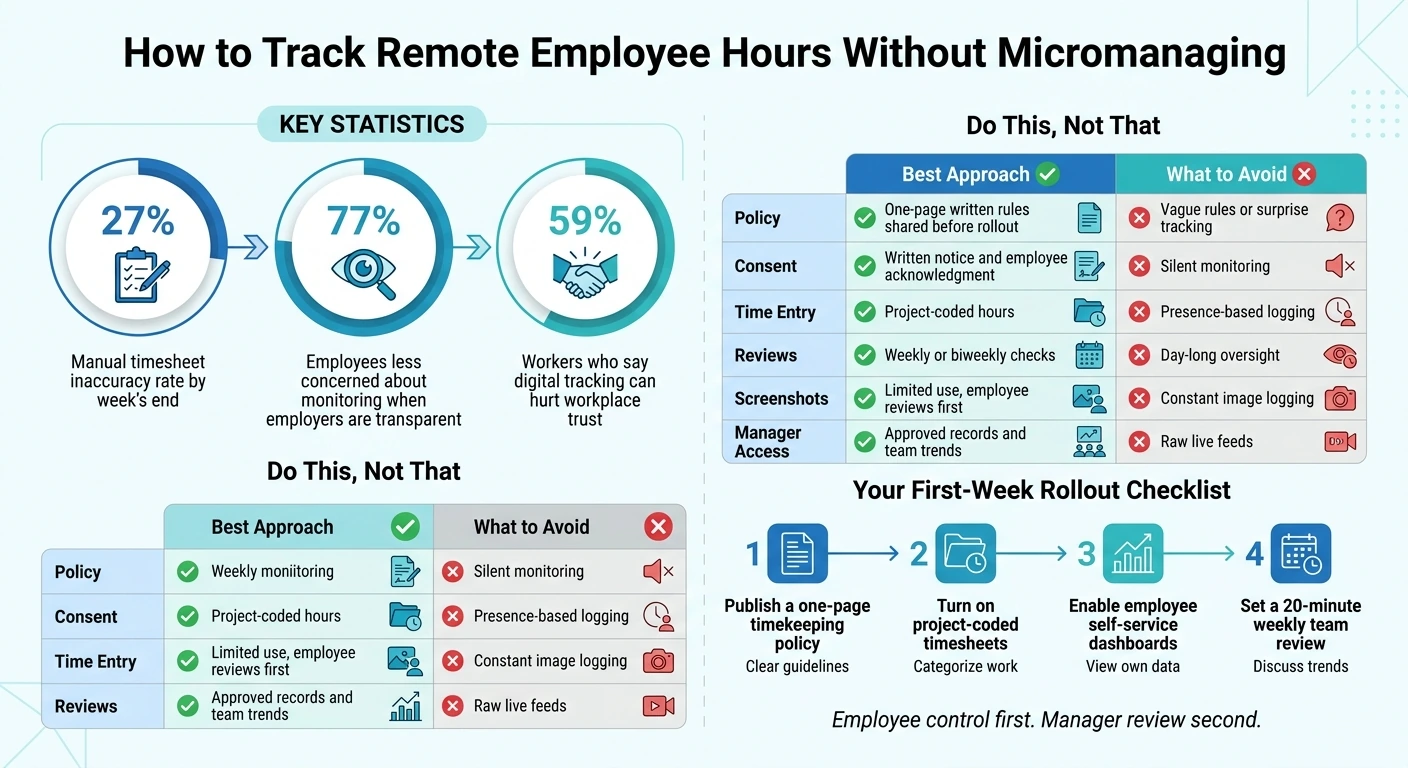
Remote Employee Time Tracking: Best Practices vs. What to Avoid
Set Clear Timekeeping Rules and Get Consent First
Start with a written policy and clear consent before any tracking begins. That gives employees a plain answer to what counts as work time, how edits are handled, and who signs off on exceptions. It also helps keep time tracking accountable instead of making it feel like surveillance.
Write a simple policy for hours, breaks, edits, and overtime
Keep the policy to one page. It should answer the questions people are going to ask anyway: What counts as work time? How are breaks handled? What if someone forgets to log time? Who approves overtime?
Spell out whether your team works under core hours or a fully flexible schedule. Note how idle time is treated, such as auto-pausing after a set period. Give employees a clear, no-penalty way to fix missed entries, adjust timers, or flag errors. Add project and client codes so logged time connects to billing, payroll accuracy, and cost allocation.
Share the policy at least one week before the tool goes live. That gives people time to read it, ask questions, and avoid surprises.
Tell employees exactly what data is collected and who can see it
77% of employees say they'd be less concerned about monitoring if their employer was simply transparent about it. Be direct about what the system tracks: hours, project codes, and activity data like app usage, screenshots, or idle time. Be just as clear about what it does not track, such as keystrokes or personal content. And say plainly that tracking runs only during defined working hours, not 24/7.
State who can see what, and when:
| Data Type | Who Can See It |
|---|---|
| Hours & project codes | Employee, direct manager (always / weekly review) |
| Activity summaries | Employee, direct manager (weekly) |
| Screenshots (if enabled) | Employee, direct manager (reviewed before finalization) |
| Aggregate team trends | Leadership, HR (monthly) |
Then spell out the permitted uses: payroll, billing, capacity planning, and workload balance. Just as important, name the off-limits uses too: individual discipline, performance ranking, or surveillance. Include the retention period as well. A reasonable standard is 12 months before deletion.
In several U.S. states, written notice or electronic consent before monitoring starts is a legal rule, not just a smart move.
Give employees access to their own data
Let employees see their own timesheets, activity summaries, and approved monitoring records through a self-service view. When employee and manager views match, the tool feels shared instead of imposed.
Employees should also be able to edit their own entries, add notes, and flag errors without fear of retaliation. That kind of transparency can improve buy-in and lower resistance.
Once the policy is set, the next step is project-based time tracking.
sbb-itb-338a5ab
Use Project-Based Time Tracking Instead of Minute-by-Minute Oversight
Once the policy is set, stop measuring time by sheer presence. Track it by the work itself.
Log hours by project, client, or cost center
Every time entry should link to a project, client, or cost center. That turns hours into data you can actually use.
Instead of watching people minute by minute, you’re asking them to log work against categories that mean something. Managers can then see where time is going and which areas are cutting into margin. Mark entries as billable or non-billable so invoicing stays clean. Project and client codes also make those entries useful for payroll, billing, and cost tracking.
Review totals weekly or biweekly, not throughout the day
Set a clear deadline for timesheet submission. For many teams, Monday at noon works well. Then review project totals weekly or biweekly, not all day long.
The point is to check fit: Do the hours line up with the scope and milestone? A weekly or biweekly review makes it easier to spot burn rate, billable share, and utilization. That helps managers see capacity strain early, before it turns into burnout.
Use time data to talk about capacity and blockers
Timesheet data should support planning, not policing.
If someone is logging 55+ hours per week on a steady basis, shift work before burnout sets in. And if a task is taking fewer hours than expected, don’t jump to conclusions. The better question is whether something is slowing progress or keeping the work from moving.
This is where the data helps in 1-on-1s. A question like, "I noticed this phase took longer than we scoped - were there roadblocks I can help clear?" opens the door to a useful conversation. The numbers should help you find blockers and talk about workload, not monitor pace for its own sake.
Once project totals are in good shape, the next move is to give employees more control over how much detail they want in their tracking.
Build Privacy-First Workflows With Employee-Controlled Tracking
After project-level time tracking, add employee-controlled workflows that keep records accurate without constant oversight.
Use Employee-Controlled Timers and Employee-Approved Timesheets
Employees should start, pause, and stop their own timers. A clear on-screen indicator should show when tracking is on, so there’s no guesswork.
AllyTracker follows this approach. Employees control their own sessions, add notes to explain each block of time, and use auto-pause after 5 minutes of idle time to avoid inflated records. Before hours move to payroll or invoicing, employees review and approve their own timesheets. That sign-off step helps catch mistakes and gives teams a cleaner record.
If screenshots are part of the setup, keep them limited and let employees review them first.
Limit Screenshots to Specific Cases and Let Employees Review Them First
Use screenshots only when there’s a compliance or audit reason. If they’re used, employees should be the first to see them.
Captured screenshots should go to a private review screen before anyone else can view them. Employees can delete sensitive captures, and deleted screenshots are permanently removed. Managers see only approved captures.
A simple setup works best:
- Low-frequency or on-demand captures
- Employee review before manager access
- Limited retention
- No live feeds
- No indefinite storage
This also lines up with privacy expectations in the U.S., where laws in states including Connecticut, Delaware, New York, and Texas require employers to notify staff about tracking and use the "least intrusive means possible".
Show Managers Approved Records Instead of Raw Monitoring Feeds
Managers need confirmed hours, project codes, and a clear view of where time goes. That covers payroll, billing, and capacity checks without turning time tracking into surveillance.
Managers should get access to approved timesheets, approved screenshots, and team-level views grouped by project or client billing code. The research is pretty clear here: 59% of workers say digital tracking hurts workplace trust. At the same time, transparency about what’s collected and who can see it increases employee buy-in by 89% and reduces resistance by 76%.
Conclusion: Build Accountability With Clear Rules, Light Check-Ins, and Privacy Controls
Tracking remote hours well comes down to structure, not surveillance. The goal is to verify time worked without hovering over people all day.
There’s a clear business upside too. Manual timesheets are often 27% inaccurate by the end of the week, and project-coded hours help cut those errors while keeping payroll and client billing easier to defend. Weekly reviews also help teams catch workload gaps and overtime risk early.
What matters most is how managers use the data. When time records help spot blockers and spread work more evenly, trust tends to grow. When those same records are used to police someone’s day minute by minute, trust starts to slip.
If you’re putting this into action next week, start here.
What to Do First
Before your next pay period, take these four steps:
- Publish a one-page timekeeping policy that explains what’s tracked, who can see it, and how it will be used.
- Turn on project-coded timesheets so hours tie straight to deliverables and client billing codes from day one.
- Enable employee dashboards so each team member can view their own data, check sessions, and fix mistakes before hours go to payroll.
- Set a standing weekly review - about 20 minutes is enough - focused on team-level patterns, not individual logs.
The simplest rollout looks like this: employee control first, manager review second. That setup keeps payroll accurate, billing defensible, and trust on the team in good shape.
How do I introduce time tracking without hurting trust?
Be open about time tracking and frame it as a support tool, not a way to watch people. Spell out why you're doing it - maybe to balance workloads, bill clients more accurately, or help spot burnout before it gets out of hand. Then put that policy in writing before you roll anything out.
Bring employees into the process and let them see their own data. Look at broad patterns and results, not every single minute. The point is to use the data to start useful conversations and solve problems, not punish people.
What should a remote time tracking policy include?
A remote time tracking policy should be a short, clear one-page document that the whole team can access and that’s included in onboarding.
It should spell out a few key things in plain English:
- What is tracked
- When tracking happens
- Who can see the data
- Why the data is collected
- What it is not used for
- How long the data is kept before deletion
The goal is simple: no guesswork, no mixed signals, and no awkward surprises later.
When are screenshots actually necessary?
Screenshots should be a rare audit tool, not a way to watch people as they work.
Use them only for specific compliance checks or to look into workflow issues when something needs a closer look. If that happens, get full employee consent and make the process clear from the start. That means no live supervision and no messaging employees about single screenshots as they come in.
To keep trust intact, pay attention to outcomes and patterns, not frequent screen captures.