5 Ways Employee-Controlled Tracking Improves Accountability
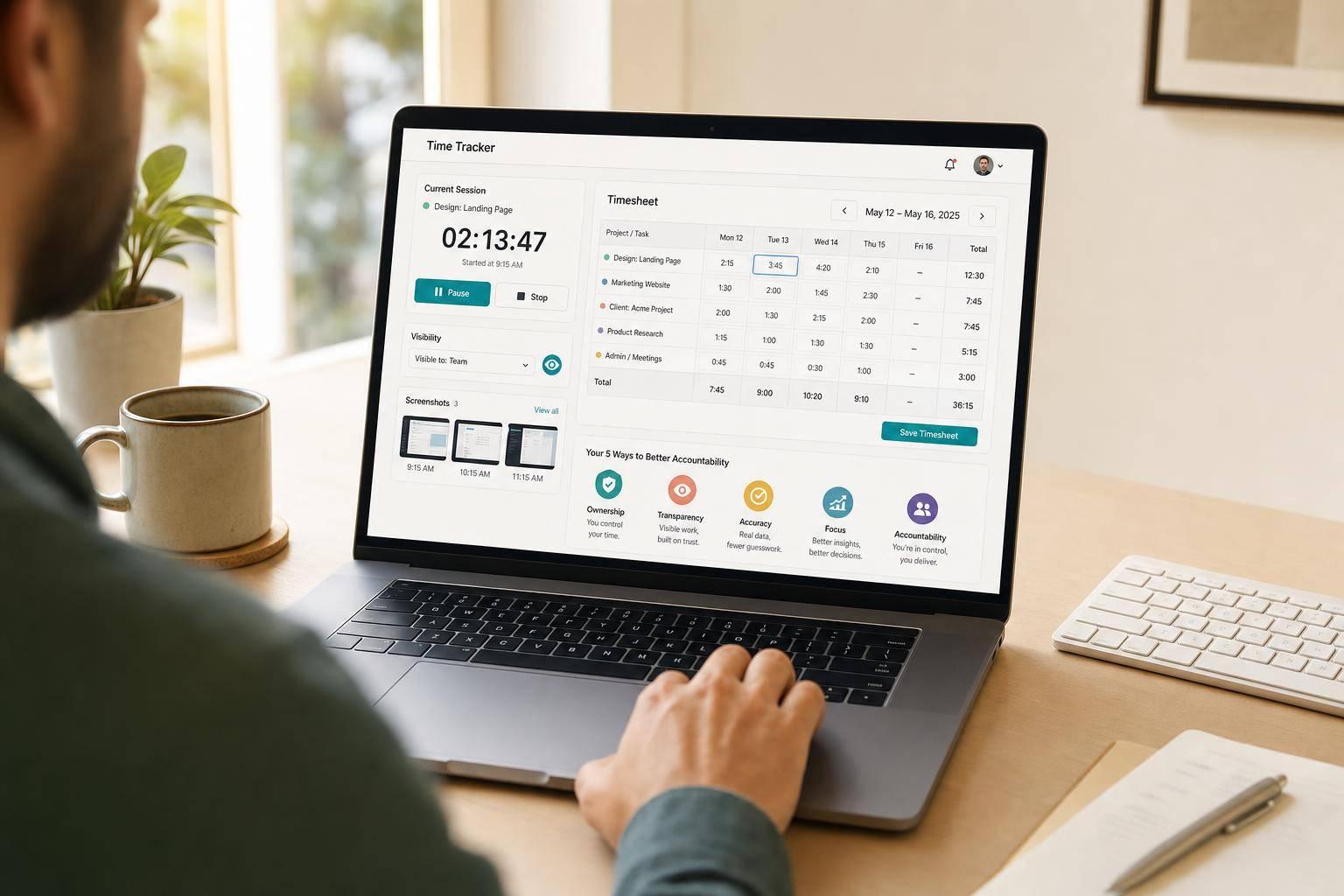
5 Ways Employee-Controlled Tracking Improves Accountability
If employees can review their own time records, accountability gets clearer fast. In this article, I show how five controls - start/stop timers, editable timesheets, screenshot review, visibility settings, and project tagging - help cut disputes, clean up payroll records, and improve billing accuracy.
Here’s the short version:
- Employees start and stop their own timers, so each work session begins with a clear action.
- Timesheets can be fixed before approval, with a record of edits and approvals.
- Screenshots are reviewed before submission, so employees can remove private or nonwork images.
- Visibility settings limit who sees what, which helps reduce conflict over tracking.
- Project tags link hours to actual work, making payroll and client billing easier to check.
Two data points stand out:
- 80% of employees say they feel more trusted when tracking focuses on productivity instead of surveillance.
- Employee acceptance of monitoring can move from 30% to over 50% when employers clearly explain what is being tracked and why.
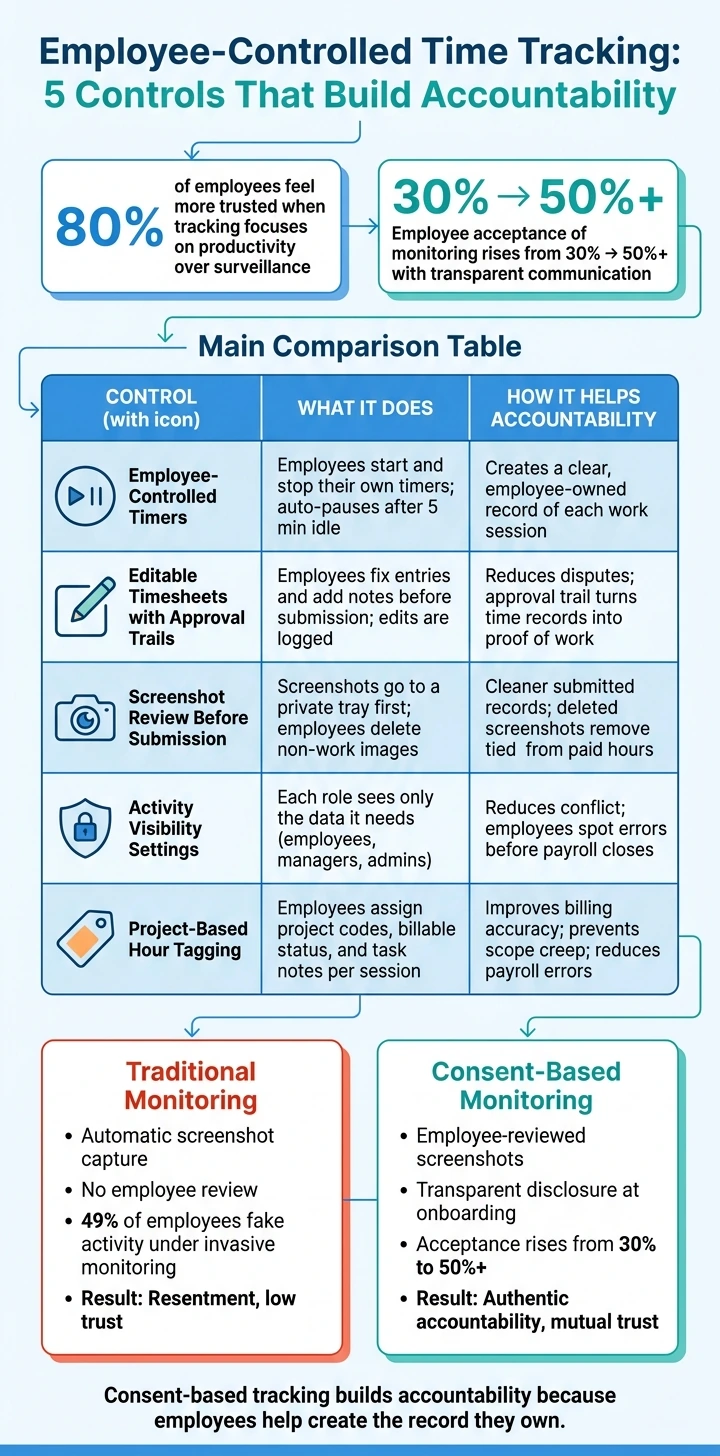
Employee-Controlled vs. Traditional Time Tracking: Accountability Comparison
Quick Comparison
| Control | What it does | How it helps accountability |
|---|---|---|
| Employee-controlled timers | Employees choose when tracking starts and stops | Creates a clear record of each session |
| Editable timesheets | Employees fix entries before approval | Reduces confusion over changed hours |
| Screenshot review | Employees check images before sharing | Keeps submitted proof cleaner |
| Visibility settings | Each role sees only the data it needs | Helps prevent disputes and mix-ups |
| Project-based tagging | Hours are linked to projects, clients, or tasks | Improves cost tracking and billing accuracy |
If you want accountability without heavy-handed monitoring, this setup shows a simpler path: let employees help shape the record they’re asked to own.
sbb-itb-338a5ab
1. Employee-Controlled Timers
Employee Consent and Control
The first accountability gain is simple: employees choose when tracking starts and stops. Time is logged only when someone clicks Start, so each recorded hour has a clear owner. There’s no auto-launch and no admin-triggered timer. The session begins with a deliberate employee action.
Accurate Session Logs
AllyTracker uses device timestamps to measure session length, so the log reflects actual elapsed time. A visible active-session indicator makes it clear when tracking is on. On top of that, auto-pause after 5 minutes of idle time removes unworked time. That makes each session easier to check, not just more exact.
Cleaner Records for Payroll and Disputes
Employee-started timers also make payroll review simpler and cut down on disputes. Each session includes a clear start time, a logged duration, and totals after idle time is removed - all tied to the employee’s own action. For payroll and invoicing, that means a cleaner record to review.
Once hours begin with employee action, they can also be reviewed and corrected before approval.
2. Editable Timesheets With Approval Trails
Once time tracking begins, accountability comes down to what happens before a timesheet is sent in.
Employee Consent and Control
In AllyTracker, employees can look over their entries, fix start or end times if a timer began late or kept running, and add notes before anything gets submitted. That means the employee keeps control of the final record, so it matches the work that was actually done. It also creates a clean handoff between tracking and approval.
Proof-of-Work Reliability
When a manager approves a submitted timesheet, AllyTracker keeps the original entry, any edits, and the name of the person who approved the final version. Notes can explain things like a client meeting that ran over or research that took more time than planned. That approval trail turns a plain time record into proof of work.
Dispute Reduction
Most timesheet disputes begin with unclear changes. An approval history shows exactly what changed and why. If a question comes up during a given pay period, both the employee and the manager can trace each change back to its source.
Billing and Record Accuracy
That same approval trail also helps with how hours are grouped for billing. Approved timesheets are easier to trust, and that matters when records need to line up cleanly. AllyTracker ties entries to project and client codes, so approved hours map directly to each billing record.
3. Screenshot Review Before Submission
After editable timesheets, screenshot review adds a second check before records are shared. Screenshots only help with accountability when employees get to review them first.
Employee Consent and Control
AllyTracker stores captured screenshots in a private review tray first. Before any screenshot appears on a manager's dashboard, the employee can look through each image and delete anything that shows sensitive or personal information, or nonwork content. That keeps the review process in the employee's hands instead of making it feel like surveillance.
Proof-of-Work Reliability and Dispute Reduction
Once approved, screenshots become usable proof of work. Since the employee reviewed them first, the submitted gallery becomes a clean, checked record managers can rely on. If a question comes up about a specific time block, the screenshots show what was on screen during that period. That cuts down on screenshot-related review friction without reopening the full timesheet.
Billing and Record Accuracy
One rule keeps the record accurate: deleted screenshots remove the tied time from paid hours. Approved timesheets reflect only the periods backed by a submitted screenshot, so billable time flows directly from the employee's own review decisions.
The next control is what employees choose to show in their activity view.
4. Activity Visibility Settings
Clear access rules make tracking feel controlled, not intrusive. In AllyTracker, employees can check their own hours, session notes, and approved screenshots from a personal dashboard, without seeing the rest of the team’s data. Employee acceptance of monitoring climbs from 30% to more than 50% when employers clearly explain what is being tracked and why. Written disclosure during onboarding sets the tone from day one.
Managers get what they need without drifting into personal space. In AllyTracker, that includes team-level views, active time, project-linked hours, and approved screenshots. That’s enough to confirm work without showing sensitive screen content. Outcome-based views give managers proof of work while keeping personal content out of view. It also helps them clear up questions before payroll closes.
When each role sees only the approved data it needs, there’s less room for conflict. Employees can spot errors before payroll closes, and managers can check hours against project tags without a long back-and-forth. Shared visibility across roles turns disputes into a shared record.
Admins have system-wide access, including audit trails, payroll exports, and permission settings. That setup keeps billing data clean and auditable, with hours reaching payroll and client invoices only after the right checks. It also cuts manual errors. From there, project-based tagging links visible hours to the right client or job.
5. Project-Based Hour Tagging
Once employees can review and control what gets shared, tagging shows where each hour should go. When someone links a tracked session to a project, client, or task, that time is tied to actual work. That gives employees more say over their own records and gives managers a clear log they can use.
Employee Consent and Control
In AllyTracker, employees assign project and client billing codes to their own sessions. They also decide whether each entry is billable or non-billable, and they can add task notes to explain what they worked on. The person doing the work handles the classification upfront, instead of leaving it for a manager to fix later.
Proof-of-Work Reliability
Task notes and project codes create a record people can check. Each tag shows where the hour belongs, which gives managers and clients something specific to review. That record helps with payroll checks and client billing without leaning on invasive monitoring.
Dispute Reduction
Project tagging also helps teams catch overruns sooner by showing which jobs are taking more time than planned. When that data shows up early, teams can shift resources or reset expectations before a small overrun turns into a billing dispute.
Billing and Record Accuracy
The same tag data keeps billing clean. Billable status helps avoid underbilling or overbilling, task notes add context to each hour charged, and project codes make sure hours land in the right account. Digital project tagging cuts drift and errors before payroll or invoicing. That makes the accountability tradeoff easy to see in the comparison below.
Side-by-Side Callouts That Show Why Consent-Based Controls Work Better
These controls work for a simple reason: employees check what gets recorded before anything is shared. That one step changes the whole experience. Instead of silent tracking, you get a record people can stand behind. Two quick comparisons make that easier to see.
Screenshot Review: Surveillance vs. Consent
The first gap shows up before a screenshot ever reaches a manager.
With unreviewed screenshots, the system grabs images on its own and sends them straight to management. That can pull in sensitive or personal content without any employee review. And when people feel watched too closely, the setup can backfire. 49% of employees under invasive monitoring admit to faking being online, which undercuts the whole point of tracking.
Employee-reviewed screenshots change that dynamic. The employee checks the image first, filters out private material, and then submits what belongs in the record. The result is cleaner documentation and self-accountability that comes from buy-in, not pressure.
| Monitoring Approach | Employee Control Level | Privacy Impact | Accountability Outcome |
|---|---|---|---|
| Unreviewed Screenshots | Low - automatic capture, no employee input | High - risks capturing sensitive or personal data | Resentment and fake activity |
| Employee-Reviewed Screenshots | High - employee reviews before submission | Low - employee acts as a privacy filter | Authentic self-accountability and mutual trust |
Project Tagging vs. Generic Logging
The second gap is about whether logged hours stay vague or connect to actual work.
Generic logging tells you that time was worked. It doesn't tell you what that time supported. That's where project-tagged logging helps. Each hour gets tied to a specific project or cost code, which makes labor costs much easier to track. It also helps stop scope creep before it snowballs and makes client billing more accurate.
| Practice | Accountability Benefit | Risk if Misused |
|---|---|---|
| Generic Hour Logging | Basic record of attendance and total work time | High risk of disputes due to lack of detail |
| Project-Tagged Logging | Precise visibility into labor costs; prevents scope creep and improves billing accuracy | Can become admin work if codes aren't standardized |
That’s why consent-based records are easier to work with. They don’t just log time; they give that time context people can check, trust, and use.
Conclusion
Accountability doesn't need constant surveillance. Put these five controls together, and accountability becomes visible before approval. They create records employees can check for themselves and managers can rely on. That's the point of consent-based tracking.
When workers can see what gets logged and have a say in what gets shared, disputes drop, payroll gets more accurate, and billing gets cleaner. That practical payoff lines up with what employees say when tracking is transparent. The data backs it up: 80% of employees report feeling more trusted when time tracking focuses on productivity rather than surveillance, and employee acceptance of monitoring tools jumps from 30% to over 50% when employers are transparent about what is being tracked and why.
Consent-based tracking builds accountability because employees help create the record they're expected to own. With AllyTracker, monitoring carries more weight when employees help shape the record - and the result is more fair, more accurate, and more useful for everyone involved.
How does consent-based tracking reduce timesheet disputes?
Consent-based tracking helps cut down timesheet disputes because employees can see and control the hours being logged.
When people can review what was tracked before it’s submitted, there’s less back-and-forth later. Features like editable timesheets, approval trails, and screenshot review give employees a chance to check their records, fix mistakes, and confirm that everything looks right.
That shared view matters. It creates clear agreement on logged hours and project tags, which helps reduce disputes over time worked or client billing.
What happens if an employee deletes a screenshot?
Employees can check screenshots before they submit them. If they decide to delete one, it’s removed from the activity log. That means only verified, relevant proof of work shows up in their timesheets.
This supports accountability and helps build trust. Workers keep control over their data and can see exactly what’s being recorded.
How do project tags improve payroll and billing accuracy?
Project tags let employees log time against the right task or client. That simple step makes a big difference: hours go to the correct project, reporting mistakes drop, and timesheet disputes are less likely.
When teams can clearly see approved work, invoicing and payroll become more accurate. It also gives clients a clearer view of what they’re being billed for, which helps build trust.