Consent-Based Tracking: What It Is and How It Works
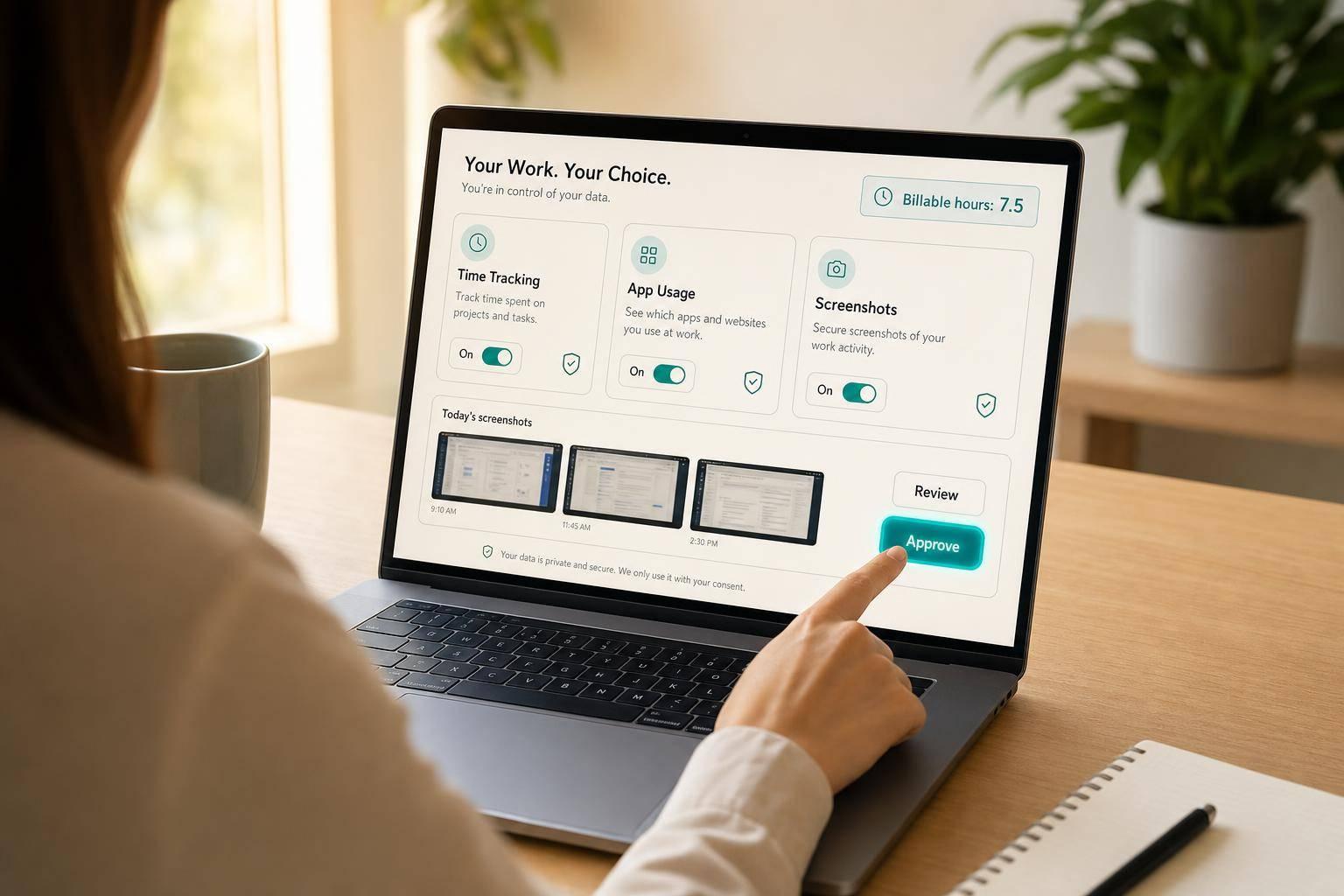
Consent-Based Tracking: What It Is and How It Works
Most teams already use monitoring tools. The big difference is whether employees agree to them and can check what gets recorded.
If I had to sum this up in one line, it would be this: consent-based tracking means employees turn tracking on themselves, review their own logs and screenshots, and submit only approved records for manager review. That setup helps companies handle payroll, billing, compliance, and remote work while giving employees more say over their data.
Here’s the short version:
- Employees opt in before tracking starts
- They start, pause, and stop sessions themselves
- They can review hours, app usage, URLs, and screenshots
- They can remove personal items before submission
- Managers see approved records, not raw private data
- Policies should cover access, retention, and notice rules
- State laws may require advance notice or written consent
A few numbers make the issue clear:
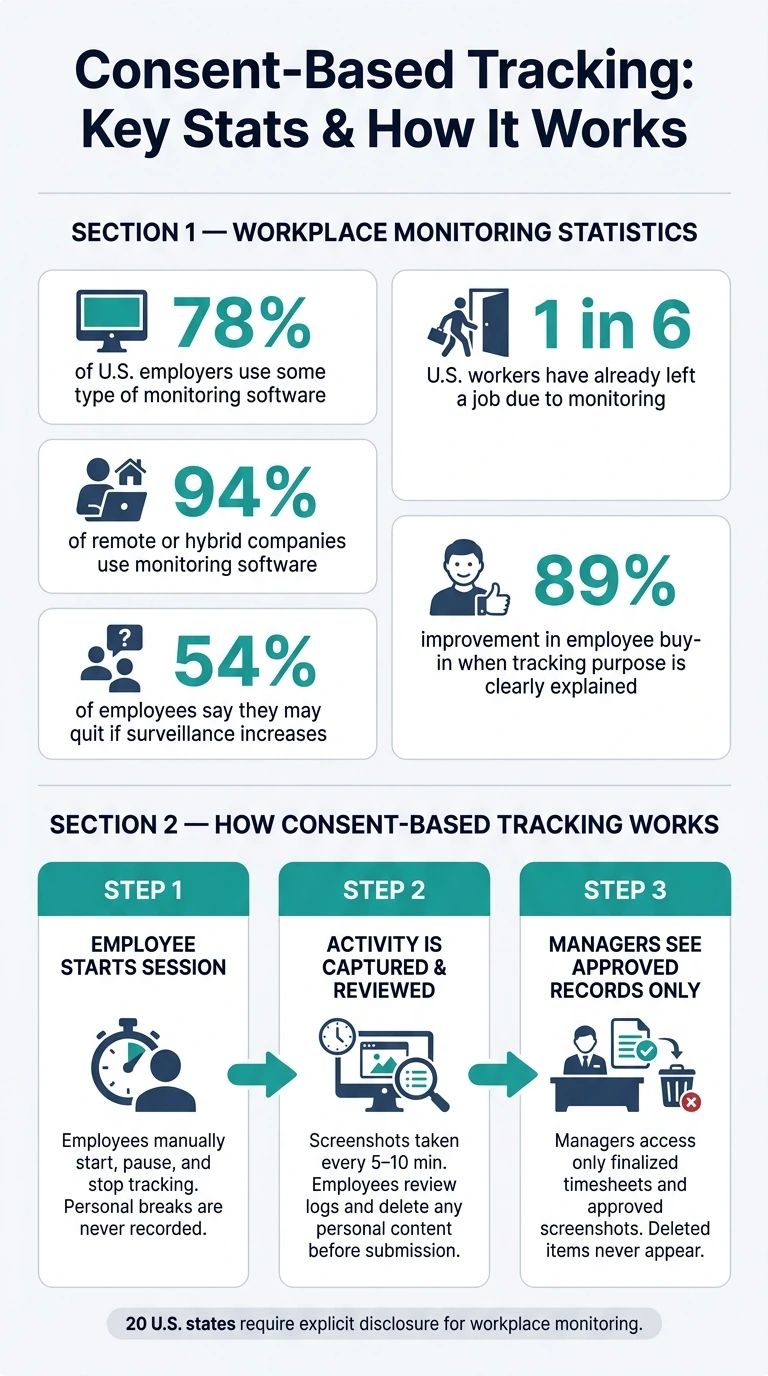
- 78% of U.S. employers use some type of monitoring software
- That climbs to 94% for remote or hybrid companies
- 54% of employees say they may quit if surveillance increases
- 1 in 6 U.S. workers have already left a job because of it
- Clear explanations of why tracking is used can improve employee buy-in by 89%
So this isn’t just about software. It’s about how a company sets the rules.
In plain terms, consent-based tracking works best when tracking stays limited to active work sessions, employees can review what was recorded, and managers use only approved timesheets and related records. The policy matters just as much as the tool.
Below, I break down what consent-based tracking means, when it makes sense, how the workflow works, what each side can see, and how a team can set clear rules around it.
Consent-Based Tracking: Key Stats & How It Works
AI Employee Monitoring Explained | Productivity Tracking vs Privacy
sbb-itb-338a5ab
What Consent-Based Tracking Is and When to Use It
Consent-based tracking means employees opt in before any monitoring begins. They decide when tracking is on, can check their own records, and use data tied to a clear business purpose like billing accuracy, project costing, compliance, or remote oversight. In plain terms, the rules should spell out who starts tracking, what gets collected, and how those records are reviewed.
What Consent Means in Time Tracking
In time tracking, consent comes down to four things: disclosure, control, visibility, and purpose. Employees should get a plain-English explanation before tracking starts. They should control their own sessions, review the same logs managers can see, and know the data is being used for a set business reason such as billing, workload planning, or project estimation.
Those ground rules shape how the system works day to day. And they matter more than many teams think. Transparency about the purpose of time tracking increases employee buy-in by 89% and reduces resistance by 76%.
When Consent-Based Tracking Is the Right Fit
This model isn't right for every team. It works best when the goal is visibility, not surveillance. Think documentation, compliance, and day-to-day oversight, rather than discipline.
It's a good fit for:
- Remote and hybrid teams
- Client billing and project costing
- Work done on personal devices
- Regulated fields such as healthcare and finance
There’s also a legal angle. 20 U.S. states have enacted privacy laws that require explicit disclosure and annual notices for workplace monitoring. So if a company plans to track time this way, clear consent rules need to be in place from the start.
How Consent-Based Tracking Works in Practice
Once consent is set, the workflow is simple: start, review, approve. In day-to-day use, consent-based tracking runs as a three-step loop. Employees start the session, check the recorded evidence, and submit approved records for manager review.
Step 1: Employees Start, Pause, and End Their Own Sessions
Tracking starts only when the employee turns it on manually. If they step away for a personal break or need a private moment, they can use a manual pause or private pause mode so nothing is recorded during that time.
Some systems also auto-pause after inactivity, which helps avoid recording idle time. When work starts again, employees can review the captured time and edit or delete anything that was recorded by mistake.
Step 2: Activity Evidence Is Captured with Full Visibility and Review
During an active session, the system records app usage, URLs, and screenshots every 5 to 10 minutes. Employees can look over their screenshots and activity logs before they approve anything.
If a screenshot includes personal content, the employee can delete the image or remove the affected time block before submission. Deleted items do not appear in manager views.
Many teams also use blurred screenshots by default. That way, the system can show that work happened in a known application without showing sensitive content.
Step 3: Managers See Approved Records and Verified Timesheets
After the employee reviews the session, managers see only approved records: finalized timesheets and the screenshot gallery that remains after review. That gives managers the visibility they need without showing data the policy does not allow.
From there, the next question is what each role can see, edit, and verify.
What Employees and Managers Can See, Control, and Verify
Once a record is reviewed, each role sees a different version of that same record. That matters because consent-based tracking only works when both sides can see the same core data. Employees should be able to check the same hours, activity logs, and screenshots that managers later use.
Employee Controls That Protect Privacy
Before submitting anything, employees can review their hours, activity logs, and screenshots in a personal dashboard. They can open the review panel, look at each captured image, and delete anything that includes personal information. If an employee deletes a screenshot, the related time block is removed too, and managers never see it.
Employees can also:
- add notes to time entries
- flag an entry for correction
- manually add time for off-computer work, such as phone calls and in-person meetings
That setup gives people a chance to clean up mistakes before a record moves forward. It also helps with work that doesn't happen at a keyboard, which is a pretty common gap in time tracking.
Manager Views That Support Oversight Without Overreach
After submission, managers can review verified timesheets, approved screenshots, and project totals. Role-based permissions limit access to direct reports and assigned projects.
In practice, the split is pretty clear: employees edit and annotate their own entries, managers approve or reject submitted records, and billing works from finalized, locked timesheets.
Managers can then verify hours and project codes for payroll and invoicing. The policy should spell out what stays visible, what gets locked, and what gets deleted. Those permissions need to be written into the tracking policy before rollout.
How to Set Up a Consent-Based Tracking Policy with AllyTracker
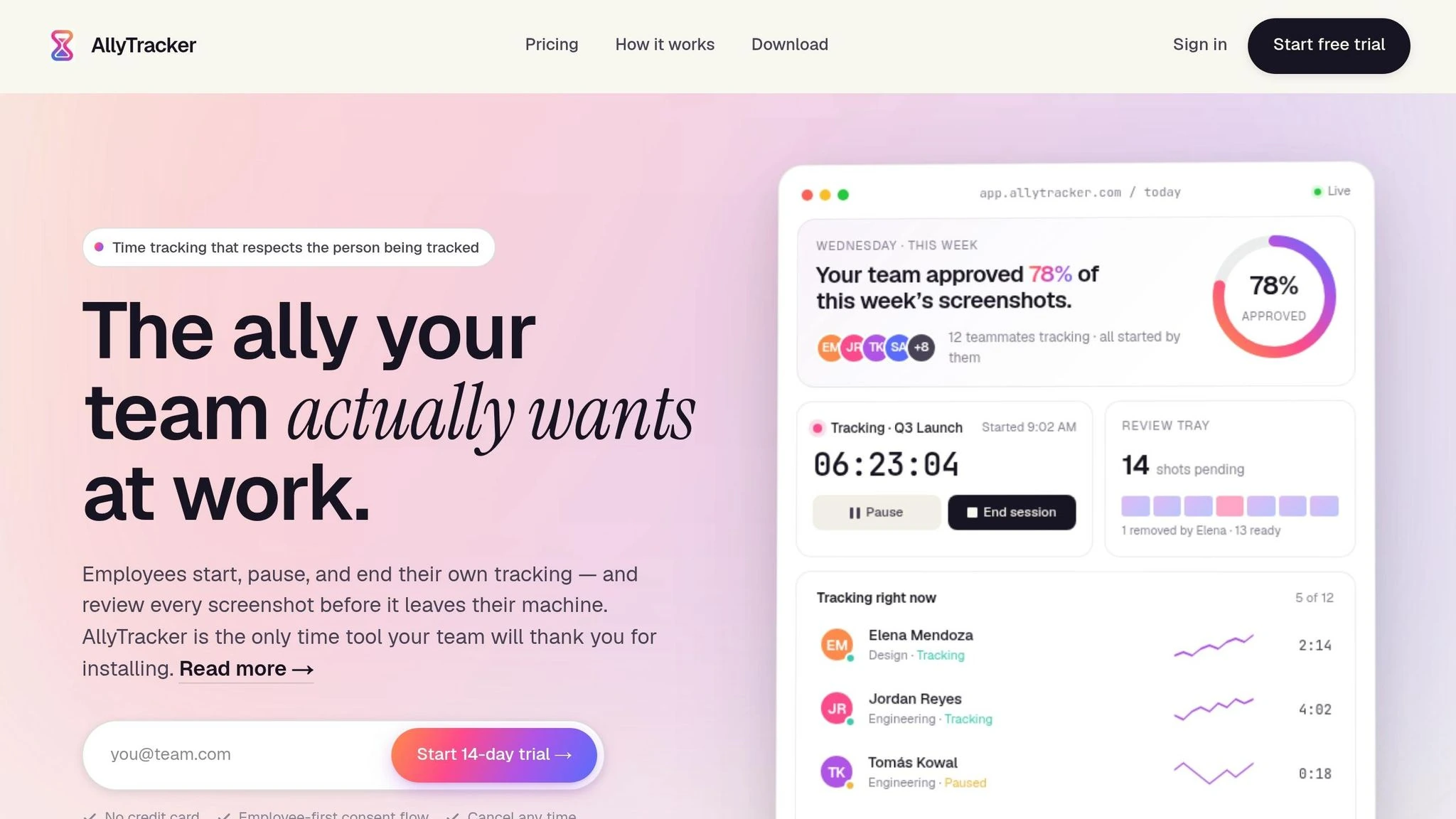
Policy Setup: Disclosure, Access Rules, and Retention Limits
Those consent rules need to be written into the policy, not left open to guesswork.
Use plain English. At a minimum, your policy should spell out four things:
- What is tracked: active time, screenshots, and app usage
- What stays off-limits: personal devices and off-hours activity
- Who can access approved records: direct managers or HR
- How long records are kept: use a 30- to 90-day retention window
It also helps to be very clear about what doesn't happen. If a screenshot is deleted, say outright that it does not feed payroll or billing. And if collection rules change, employees should give consent again before anything new starts.
State law matters here too. New York, Connecticut, Delaware, and California require advance notice before monitoring begins, and Illinois requires written consent for biometric data.
Using AllyTracker as a Consent-Based Workflow
Once the policy is written, the day-to-day workflow needs to match it exactly. No wiggle room.
AllyTracker puts those rules into practice through employee-led sessions, review before submission, and role-based access. Employees start tracking themselves; admins don't do it for them. Screenshots are taken only during active sessions, never during breaks or off-hours. If a screenshot is removed, the related time block is removed from the verified timesheet too. Managers see only approved records in the screenshot gallery.
Access stays limited through role-based permissions. Team leads can also attach project or client billing codes to sessions, which keeps invoicing accurate and easy to audit.
Conclusion: The Basic Rules for Trustworthy Tracking
When the policy and the workflow line up, tracking stays clear and verifiable.
Consent-based tracking works best when a few simple rules are followed: consent must be explicit and documented, tracking must stay limited to active work sessions, employees need real control over what gets shared, and managers should rely only on approved records. The policy should also be documented and updated whenever collection practices change.
This isn't about surveillance. It's about accurate payroll, cleaner client billing, and a remote team that trusts the process because they can see how it works.
"When teams understand that tracking exists to protect their time - not to police it - the entire dynamic shifts." - Raddy, Founder, TimeNTrack
How is consent documented?
Consent should be documented through active, informed agreement - not just a one-time signature. That means employees should know, in plain English, what they’re agreeing to and what that agreement covers.
Employers should provide a written monitoring policy that explains:
- what data is collected
- why it’s collected
- how long it’s stored
- who can access it
In many cases, consent should come through a clear action, such as signing a document or accepting an in-app agreement. It also helps to keep that record easy to find and review later, instead of burying it in paperwork or a forgotten HR portal.
Can employees change their consent later?
Yes. Consent is an ongoing process, not a one-time agreement. Employees still have rights over their data, and they can ask to stop features they feel go past reasonable boundaries.
If a company adds new tracking features or expands monitoring beyond work hours or devices that were agreed to before, it should ask for consent again. Clear policies should also spell out opt-out choices and explain how employees can raise privacy concerns without fear of retaliation.
What happens if someone forgets to start tracking?
If an employee forgets to start their timer, most consent-based tracking tools let them add time manually. That helps keep billing accurate and timesheets verified. It also gives employees a way to keep their own records instead of depending only on automated tracking.
Because consent-based tracking is built around transparency and trust, managers should treat missing time as a simple follow-up, not an immediate disciplinary issue.