Employee Monitoring vs. Time Tracking: Key Differences
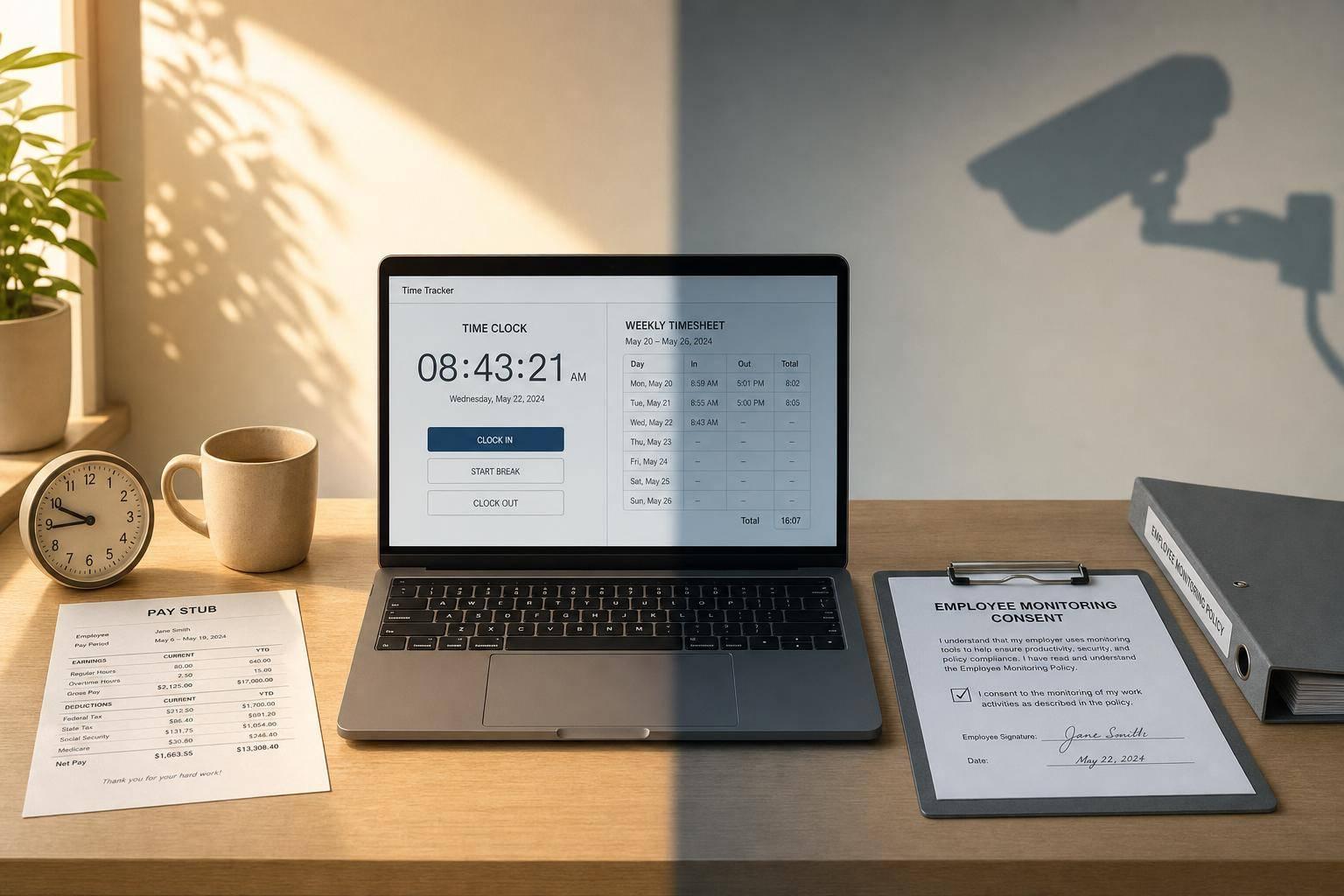
Employee Monitoring vs. Time Tracking: Key Differences
If you only need hours for payroll or billing, use time tracking. If you need to see on-screen activity, that moves into employee monitoring. That is the core difference.
I’d break it down like this:
- Time tracking records hours worked, breaks, shifts, and time tied to tasks or clients.
- Employee monitoring looks at activity during work time, such as app use, website use, keystrokes, screenshots, idle time, and sometimes location.
- Time tracking is usually easier for employees to accept because it stays focused on when work happened, not everything done during it.
- Monitoring brings more privacy concerns because it may collect browsing data, device data, and other personal details.
- For many U.S. teams, consent-based time tracking is enough for payroll, invoicing, scheduling, and basic proof of work.
About 60% of U.S. workers say they would trust their employer less if the company used software to track them while they worked. So this choice is not just about data. It also affects morale and trust.
What this means for you: pick the smallest tool that solves the problem. If your issue is payroll, use time tracking. If your issue is compliance or strict audit needs, monitoring may fit - but only with clear notice and consent.
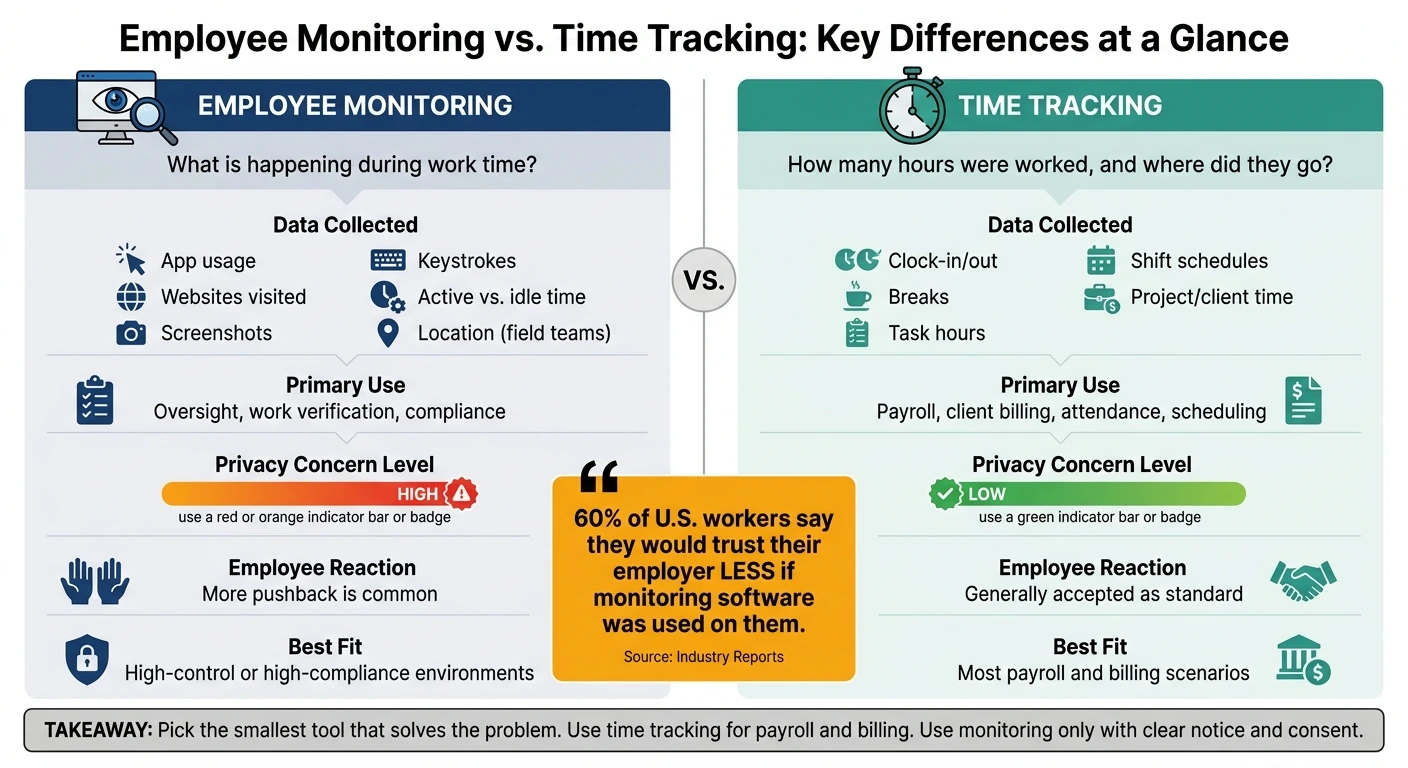
Employee Monitoring vs. Time Tracking: Key Differences at a Glance
AI Employee Monitoring Explained | Productivity Tracking vs Privacy
Quick Comparison
| Criteria | Employee Monitoring | Time Tracking |
|---|---|---|
| Main question answered | What is happening during work time? | How many hours were worked, and where did they go? |
| Main data collected | App use, websites, screenshots, keystrokes, active/idle time, sometimes location | Clock-in/out, breaks, task time, shifts, project/client time |
| Main use | Oversight, work verification, compliance | Payroll, billing, attendance, scheduling |
| Privacy concern level | Higher | Lower |
| Employee reaction | More pushback is common | More accepted in most workplaces |
| Best fit | High-control or high-compliance cases | Most payroll and billing cases |
In short, I’d treat time tracking as an hours record and employee monitoring as activity oversight. That single distinction makes the choice much easier.
Employee monitoring: what it tracks and where it becomes surveillance
Employee monitoring looks at how work gets done, not only how many hours someone logs. It can cover app and website usage, screenshots, keystroke activity, active versus idle time, task progress, and attendance logs. Some tools also track location for field or delivery teams during work hours.
That line gets thin fast. The more constant the visibility is, the more it starts to look less like monitoring and more like surveillance.
Why monitoring raises stronger privacy and consent concerns
This is where privacy concerns get more serious. Monitoring creates stronger privacy and consent issues when it collects sensitive data, such as browsing behavior and device identifiers. In those cases, employers need explicit consent and clear disclosure about how that data is processed.
Without a clear audit trail, employees have no easy way to tell when monitoring starts or stops. And when data collection runs all the time, trust can wear down over time.
Time tracking: what it records for payroll, projects, and billing
Time tracking answers a simple question: how many hours did someone work, and where should that time be assigned? That could mean a project, a task, or a client. Unlike monitoring, it sticks to hours and work allocation. It records employee hours, breaks, task hours, and scheduled shifts. Some systems also log clock-in location for field or mobile workers. What it does not track is screen activity.
Typical time tracking records and reports
Time tracking records usually include total hours, breaks, task assignments, and shift schedules. Those logs help with payroll, project management, and client billing. Summary reports also make it easier to review attendance and see how work time was allocated.
Why time tracking is usually seen as less intrusive
People tend to accept time tracking more easily when the reason is clear. Logging hours for payroll, tracking project time, or documenting billable work for a client all serve a direct business purpose. Task logs and timesheets also give teams a light record of completed work.
Scheduled shifts and task logs set a clearer boundary than real-time monitoring. That narrower scope is what separates time tracking from monitoring in the comparison below.
sbb-itb-338a5ab
Employee monitoring vs. time tracking: the key differences
With the definitions out of the way, the main difference comes down to scope: are you logging hours, or watching activity during those hours?
The different questions each method answers
Employee monitoring tracks things like app and website use, screenshots, keystrokes, and active vs. idle time. Time tracking logs clock-in and clock-out times, breaks, task hours, and shift schedules.
Both help with accountability, but they do it in very different ways. Monitoring gives managers a view of behavior. Time tracking gives them a record of hours worked and how that time was used.
| Employee Monitoring | Time Tracking | |
|---|---|---|
| What it measures | App/site use, screenshots, keystrokes, active and idle time | Clock-in/out, breaks, task hours, schedules |
| Primary use | Work verification, security compliance | Payroll, client billing, schedule management |
| Privacy risk | Higher - can capture personal or sensitive data | Lower - limited to active work sessions |
| Employee perception | Often seen as intrusive or a sign of low trust | Generally accepted as a standard administrative requirement |
That difference in scope doesn't just change the data you collect. It changes how the tool feels to the people using it.
How each method affects trust, morale, and accountability
Constant monitoring often sends the message that the company doesn't trust its team. That's where tension starts. If employees know their screens, clicks, or activity are under watch all day, many will see it as intrusive.
Time tracking is narrower. It stays focused on work sessions, not every detail inside them. And when the reason is simple - like payroll, scheduling, or client billing - employees tend to accept it with less pushback. The logic is easier to follow, and the data feels less personal.
Which method fits common US business scenarios
The better option depends on the problem you're trying to fix.
| Use Case | Better Fit | Key Benefit | Key Risk |
|---|---|---|---|
| Remote oversight | Time tracking + task management | Maintains trust while verifying work progress | Less visibility into real-time screen activity |
| Client-billable work | Time tracking | Accurate logs for invoicing and payroll | Relies on employees to start and stop sessions consistently |
| Sensitive data handling | Employee monitoring | Strong audit trails for compliance | Significant impact on morale and trust |
| Small teams | Consent-based time tracking | Easy scheduling and payroll | May not surface all idle time |
| Field or mobile workers | Location-aware time tracking | Verifies presence on the clock without 24/7 tracking | Can feel like surveillance if boundaries aren't communicated clearly |
If your team needs accountability but not constant watch, consent-based time tracking usually hits the sweet spot.
A consent-based middle ground: time tracking with AllyTracker
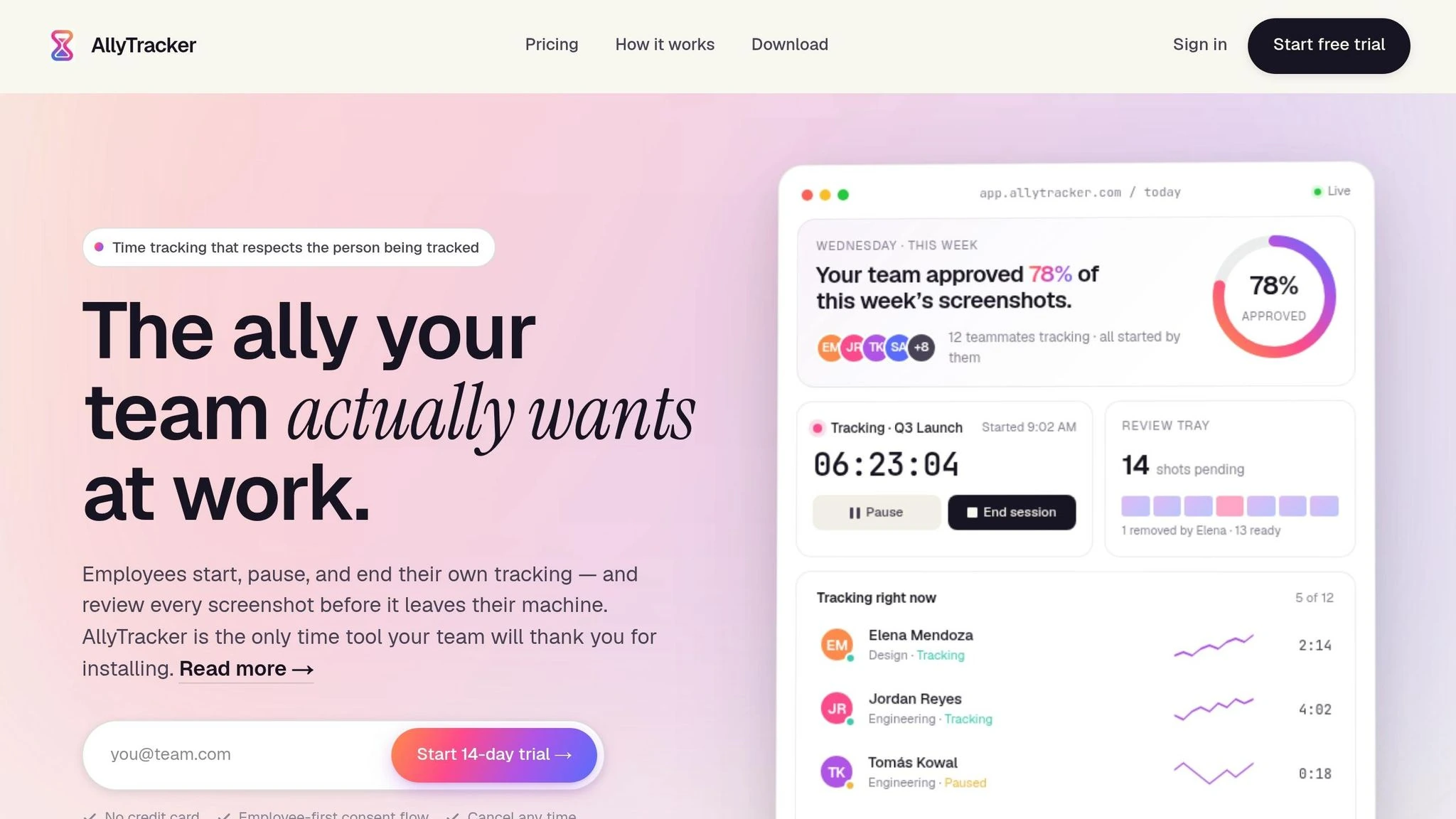
AllyTracker puts this approach into practice. In plain terms, it gives managers the records they need without turning the workday into nonstop monitoring.
How AllyTracker gives employees control over their tracked sessions
In AllyTracker, each session starts with the employee. They start, pause, and end their own timers, and a visible status indicator shows when tracking is on. The system also auto-pauses after 5 minutes of idle time, which helps keep logs accurate when someone steps away for a bit.
During a session, employees can add notes about what they’re working on. Their personal dashboard shows hours, sessions, notes, and approved screenshots, so both the employee and the manager can see a clear record of the work session.
How screenshot review supports proof of work without constant surveillance
That same employee control extends to proof-of-work records. Screenshots are captured only during active sessions, then sent to a private review queue before a manager can see them. They aren’t captured in the background or during breaks.
Employees can review, remove, and permanently delete anything they don’t want included in the record. Only approved screenshots appear in the manager view.
Why this model works for payroll and client billing in US teams
Review before manager access helps keep sensitive captures out of the shared record. AllyTracker also automatically deducts minutes tied to removed screenshots from the payroll-ready timesheet, so records stay accurate while employee privacy is protected.
For billing, project and client billing codes let teams tag time to specific work. That makes it simple to pull clean records for invoicing or payroll.
| AllyTracker Feature | How It Works |
|---|---|
| Employee session control | Employees start, pause, and end their own timers |
| Screenshot capture | Periodic, during active sessions only |
| Screenshot review | Private review queue before manager access |
| Pay records | Payroll-ready timesheets with automatic deductions for removed screenshot minutes |
| Billing | Project and client billing codes for accurate invoicing |
The result is accountability without constant surveillance.
Conclusion: choose the narrowest tool that solves the actual problem
The main difference comes down to scope. Time tracking records hours. Monitoring goes further and adds activity oversight. That’s the line that should guide the final call.
For payroll and billing, the job is simple: get accurate records, not constant visibility. In most cases, payroll and client billing only need hour logs and break records.
Once you move past time logs, task-based tracking makes sense when managers need to see progress at the assignment level, not at the screen level.
In practice, use time tracking for payroll and billing. Add task-based records when you need proof of progress. Use monitoring only when there’s a clear business reason, and employees have been informed and consented. Use the narrowest tool that answers the business question - and nothing more.
When is time tracking enough?
Time tracking is enough when the main goal is to manage schedules, log hours, and record breaks for payroll or project accountability.
It’s a good fit for a trust-based setup when you need to confirm when employees are working, not monitor how they do their tasks. Project timers and timesheets can help with billing accuracy and team coordination without screenshots or keystroke logging.
Does employee monitoring require consent?
Yes. Consent is a key part of privacy-conscious workplace management. When an employer asks for permission before collecting personal information or using monitoring tools, it sets a clear tone: people should know what's being gathered and why. That kind of openness helps protect employee data privacy and security.
A consent-based approach also helps keep trust intact between employers and employees. It supports accountability without crossing the line into invasive surveillance.
How can I track work without hurting trust?
Use consent-based tools that focus on output and project completion, not invasive monitoring. Instead of keystroke logging or constant screen capture, move to task-based timers and outcome-focused logs.
Keep time tracking transparent, and let employees manage their own entries. That helps support accurate payroll and client billing while building accountability and mutual respect.