The Ultimate Guide to Ethical Employee Monitoring in 2026
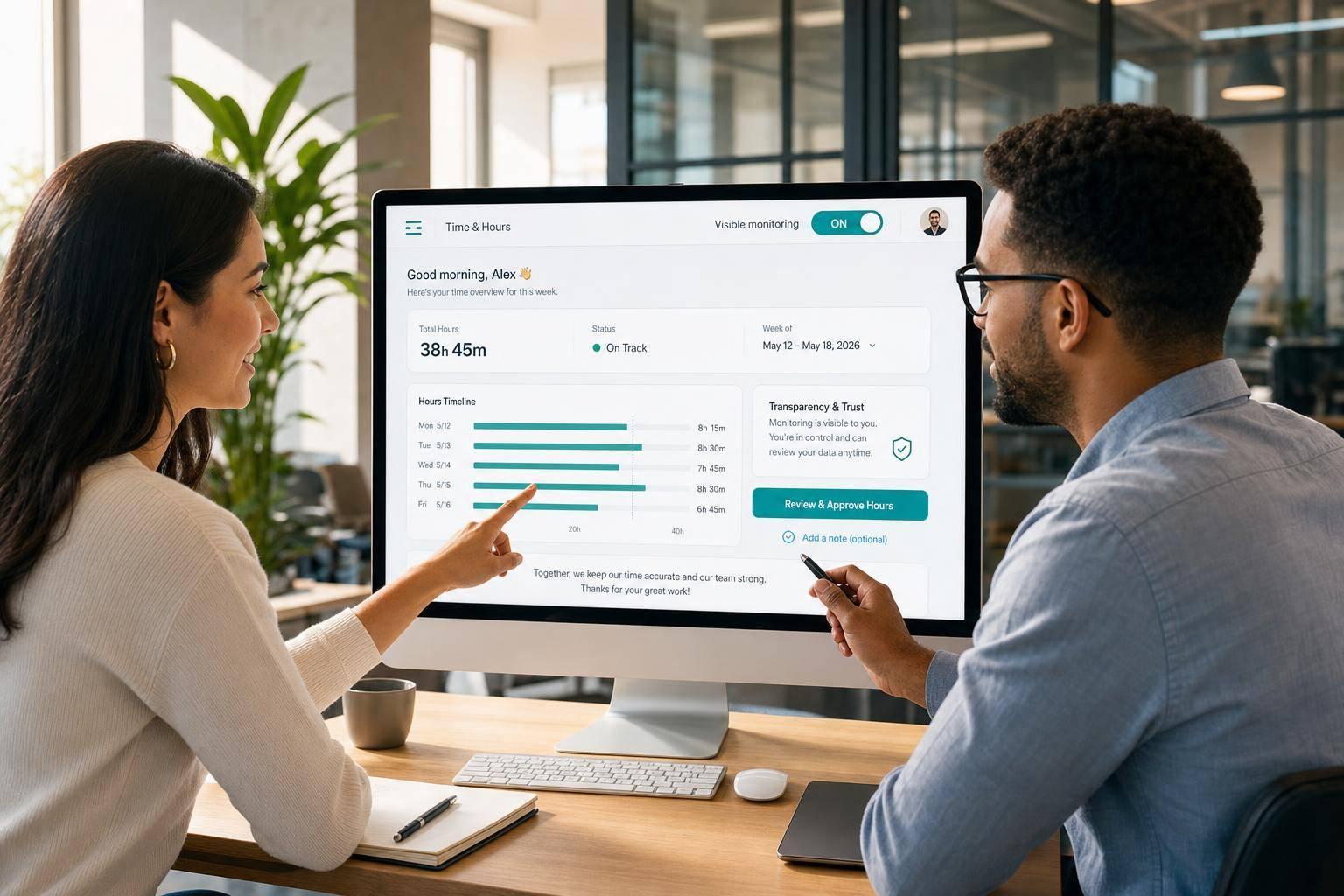
The Ultimate Guide to Ethical Employee Monitoring in 2026
If I had to sum up the full guide in a few lines, it would be this: visible tracking beats hidden tracking, less data is better than more, and employees should be able to see and review what affects their records. In the U.S., that means a plain privacy notice, a signed acknowledgment, limited access, set retention periods, and a written response plan if data is misused or lost.
Here’s the full takeaway at a glance:
- Start with notice and consent before any tracking begins
- Track only for a clear business reason like payroll, billing, or work delivery
- Keep monitoring to scheduled work hours
- Limit access to named managers and log every view
- Let employees request records and, where allowed, ask for deletion
- Set a retention period instead of keeping data forever
- Review policy changes before launch and get a new acknowledgment
- Use employee-controlled workflows like start/stop timers, idle auto-pause after 5 minutes, and screenshot review before manager access
- Avoid hidden tracking, off-hours tracking, and using monitoring data alone in performance reviews
- Review the setup every quarter so the process still matches the job
One point stands out from the article: when workers can review screenshots before a manager sees them, and when removed screenshots deduct linked time from the timesheet, payroll records stay cleaner and easier to defend. That shifts monitoring away from watch-and-track behavior and toward proof of work.
If you want ethical monitoring in 2026, I’d keep the rule short: be clear, be limited, and keep records people can check.
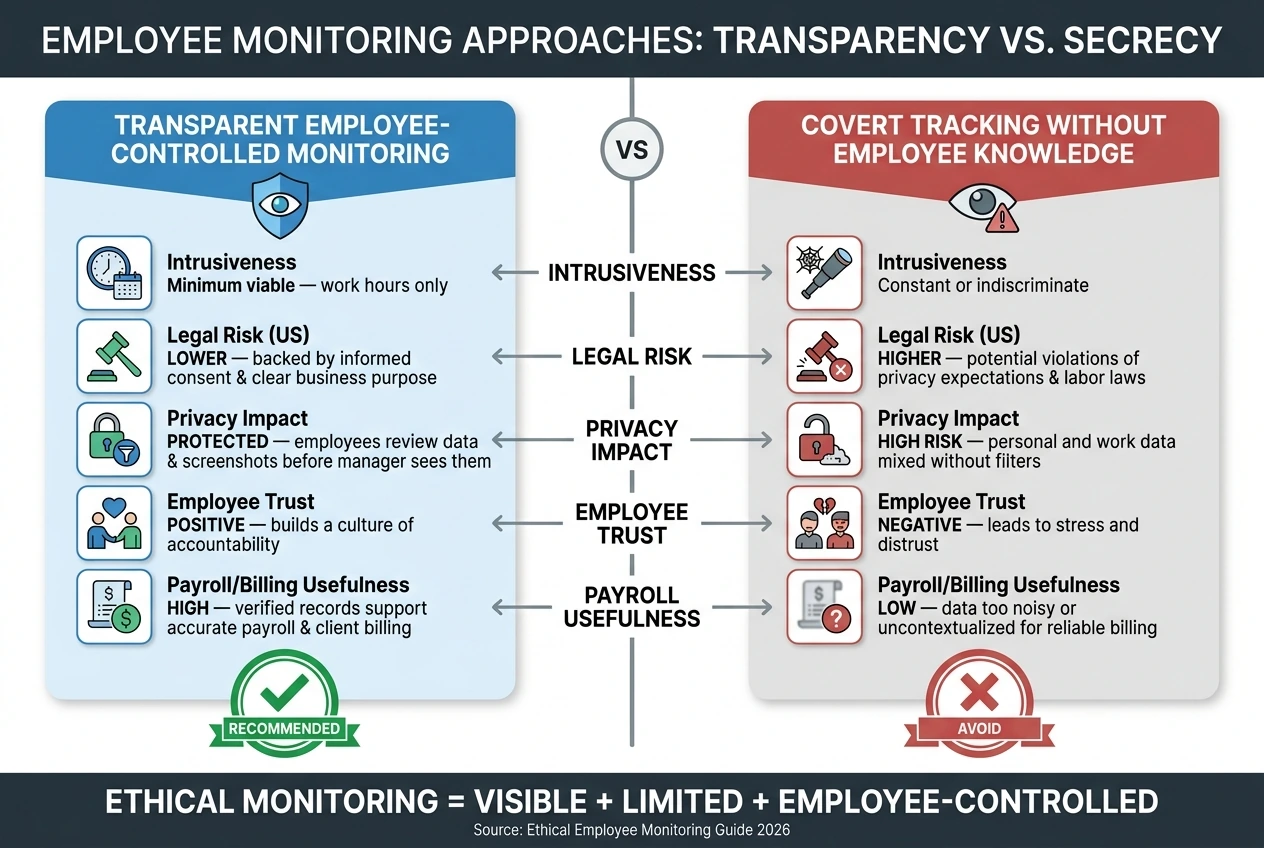
Ethical Employee Monitoring vs. Covert Surveillance: Key Differences
The Business Owners’ Guide to Workplace Privacy and Surveillance | MNK Law
sbb-itb-338a5ab
The Core Rules of Ethical Monitoring
These principles only work when they show up as clear day-to-day rules. Ethical monitoring should be visible, limited, and linked to a specific business reason. Once one of those pieces falls away, oversight can start to feel less like proof of work and more like surveillance.
Transparency and Informed Consent Before Tracking Starts
Before any tracking begins, employees need a plain-language privacy notice. It should spell out what data is being collected, when monitoring is active, why the company needs that data, and who can access it. A signed acknowledgment during onboarding creates a record that the notice was received and acknowledged.
If the policy changes, the notice has to change too. Employees should get fresh notice and re-acknowledge the policy before the new rules take effect. That notice sets the ground rules for every later monitoring decision.
Minimum Necessary Monitoring for Legitimate Business Needs
Monitoring should stick to what the job actually requires. Time tracking for payroll and break management makes sense. Task data should be used only when it supports payroll, billing, or delivery tracking.
The timing matters too. Monitoring should stay tied to scheduled work hours, which means tracking should turn on only during those hours.
Privacy, Data Protection, and Fair Use of Monitoring Data
Access should be limited to designated managers, and every view should be logged. Employees should also have a simple way to request copies of their records or ask for deletion where the law allows.
Retention matters just as much. Keep data only for the shortest period that still supports payroll, billing, and audit needs.
| Rule Category | Ethical Requirement | Implementation Example |
|---|---|---|
| Visibility | Transparency of access | List who can view the data |
| Consent | Informed and ongoing | Signed acknowledgment at onboarding and for policy updates |
| Access | Employee self-service | Process to request or delete records |
| Use | Approved purpose only | Location data used only for on-the-clock verification |
Those controls create the policy base for retention and incident handling.
US Legal and Policy Basics for 2026
Once the ethical ground rules are in place, the next move is making sure the program can hold up under US state and federal law. Monitoring rules differ from state to state, so employers should review the policy with counsel before launch. The employer should also document a legal reason for using employee data.
Notice and Consent Requirements Employers Should Plan For
US notice language should state that the employer is the party responsible for the data, list any vendors that process data for the employer, and give employees a clear way to request their records or deletion where allowed. Consent also needs to be specific. Employees should understand which types of monitoring apply to them, such as time tracking, screenshots, app activity, and reporting.
That notice then needs to turn into a plain-language policy people can follow during the workday. If the notice says one thing but daily practice says another, that's where trouble starts.
How to Draft a Time Tracking and Screenshot Policy
A defensible policy should cover, at a minimum:
- When tracking is active - tied to scheduled work hours only
- Access controls - role-based, limited to managers who need it
- Permitted uses - payroll, billing, and task progress tracking
This is the part where clarity matters most. Employees should know when monitoring is on, who can see the data, and what the company can use it for. No guessing, no vague wording.
Retention, Incident Response, and Policy Review
After the policy defines use and access, it should also spell out retention and response steps. Employees should be told how long their data will be kept and how deletion requests are handled, subject to legal exceptions. If monitoring records are misused, lost, or accessed without permission, assign a named owner for monitoring data and document written response steps so the company's handling stays consistent. Review the policy on a set schedule.
How to Build a Privacy-First Monitoring Workflow With AllyTracker
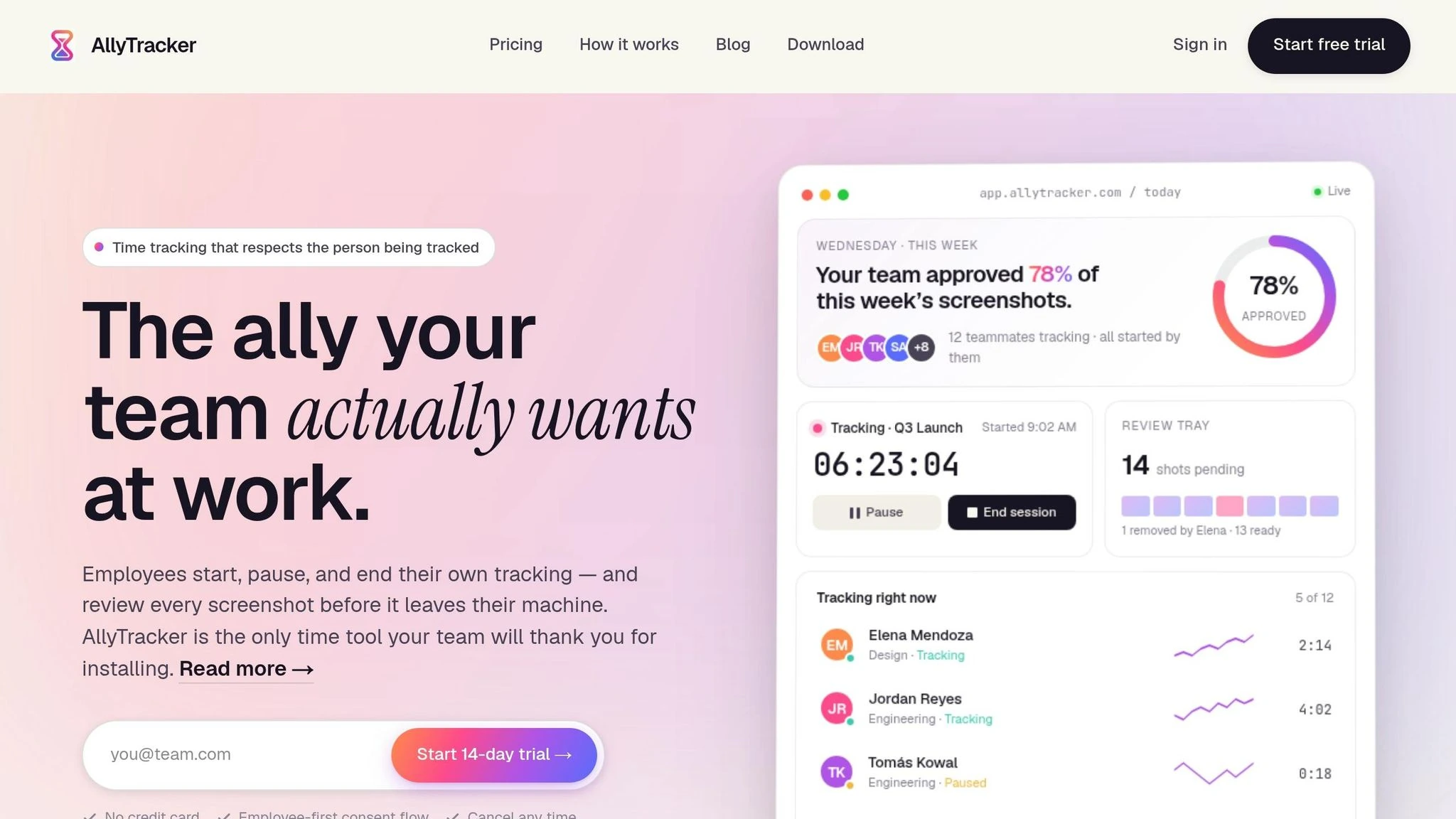
This workflow turns policy into day-to-day practice. It takes the consent and privacy rules from earlier and makes them visible in a process employees can control.
Employee-Controlled Time Tracking and Visible Sessions
Employees start, pause, and stop their own tracking sessions. A visible indicator shows when a session is active, so everyone can see the status at a glance. If there's no activity for five minutes, idle auto-pause stops the timer, which helps keep time logs clean and accurate.
Employees can also add session notes that explain what they worked on. That gives managers useful context without the need for constant check-ins.
That same employee control extends to screenshot review.
Private Screenshot Review and Manager-Approved Galleries
Teams can set the screenshot capture cadence, which makes it easier to use a lower frequency that fits a minimum viable monitoring setup. Before a screenshot reaches a manager, it goes to a private review tray that only the employee can see.
From there, the employee reviews each capture and deletes any removed captures. Managers only see the approved gallery that remains after the employee finishes the review.
That same review step also helps protect payroll accuracy.
Verified-Pay Timesheets, Project Codes, and Cost Control
When an employee removes a screenshot, AllyTracker deducts the linked minutes from the timesheet. That means only reviewed time moves to payroll.
Teams can also assign project and client codes to sessions. This makes it easier to allocate hours by engagement and support accurate client billing.
Putting Ethical Monitoring Into Practice
A Step-by-Step Rollout for Remote and Hybrid Teams
Once policy and consent are set, it’s time to roll this out in a way people can actually follow.
Start with the exact business purpose. Be plain about what the system is for. Then set it to track work hours only. After that, train managers with a written SOP so everyone uses the tool the same way. When you launch, make employee dashboards fully visible from day one. On top of that, assign one named owner to run the monitoring workflow. Review the setup on a fixed schedule, then adjust it based on how people are using it.
This gets easier to picture with a payroll and billing use case. Take a remote design agency. After it rolls out employee-controlled sessions and screenshot review, the designated manager can build verified timesheets from manager-approved screenshots. That gives the team a clean audit trail for payroll and client invoices, with much less admin work.
Common Mistakes and How to Avoid Them
After the system goes live, a few problems tend to cause the most trouble.
The biggest one is a vague policy. If employees don’t know what’s tracked, when it’s tracked, and why it’s tracked, trust can fall apart fast.
Other common mistakes include:
- tracking outside work hours
- collecting screenshots more often than the business case calls for
- using monitoring data in performance reviews without any supporting context
Each of these pushes verification into surveillance. The fix is simple: check your setup against your stated business purpose and remove anything that lacks a clear, written reason.
Another problem often slips by unnoticed: treating monitoring as a one-and-done setup. Teams change. Work patterns shift. Business needs move, too. That’s why one person should own the workflow, and why a quarterly review should stay on the calendar to keep the system matched to current needs.
Low-Intrusion Oversight vs. Surveillance: Comparison Table and Conclusion
The line between oversight and surveillance becomes plain in day-to-day use.
| Monitoring Method | Intrusiveness Level | Legal Risk (US) | Privacy Impact | Employee Trust Impact | Usefulness for Payroll/Billing |
|---|---|---|---|---|---|
| Transparent, employee-controlled time tracking with visible dashboards | Minimum viable; work hours only | Lower; backed by informed consent and clear business purpose | Protected; employees review data and screenshots before manager approval | Positive; creates a culture of accountability | High; verified records support accurate payroll and client billing |
| Covert tracking without employee knowledge or control | Constant or indiscriminate | Higher; potential violations of privacy expectations and labor laws | High; personal and work data often mixed without filters | Negative; leads to stress and distrust | Low; data is too noisy or uncontextualized for reliable billing |
Ethical monitoring works when employees can see the process, control the process, and trust the process. It means collecting only the data the business needs, protecting access with clear rules, and using verified records for payroll and billing. That’s transparent monitoring that proves work without hidden tracking.
What counts as informed consent for employee monitoring?
Informed consent means giving employees clear, plain-language information about what data is being collected, why it’s being collected, and how it will be used.
Employers should spell out the exact monitoring methods in place, such as time tracking or task oversight, so employees know the scope before any monitoring starts. That kind of openness helps build trust and supports fair, consistent policies.
How long should monitoring data be kept?
Monitoring data should stay on file only for as long as there’s a clear reason to keep it. That reason might be business-related, tied to legal duties, or linked to accountability. Without a set limit, it’s easy for personal information to sit around far longer than it should.
That’s why organizations need a clear data retention policy. It should spell out what gets kept, why it’s kept, and when it’s removed. Storing personal information forever is a bad habit, and it puts employee privacy at risk.
Once the data has done its job - like checking timesheets for client billing or confirming productivity - it should be securely deleted or anonymized. If a company no longer needs the information, it shouldn’t keep holding onto it.
Can monitoring data be used in performance reviews?
Yes - if the process is clear and based on consent. Monitoring data should support accountability, productivity, and fair evaluations, not act as a punitive tool.
To keep trust in place, employers should clearly define monitoring policies, get informed consent, and use the data in a constructive way to support professional growth and regular feedback.